Last updated: October 2026
When you start with AI, it feels like a world full of experts and you are the only one who does not understand it. It reminds me of when the internet began: some people looked like total experts to everyone who knew nothing. I promise it is normal, and it gets easier faster than you think.
This is the honest story of how I started, the main mistake I made and the one piece of advice I would give to anyone who is just beginning. It is my own experience, so yours may be different.
The Short Version
- How I started: with ChatGPT, to look things up and to chat.
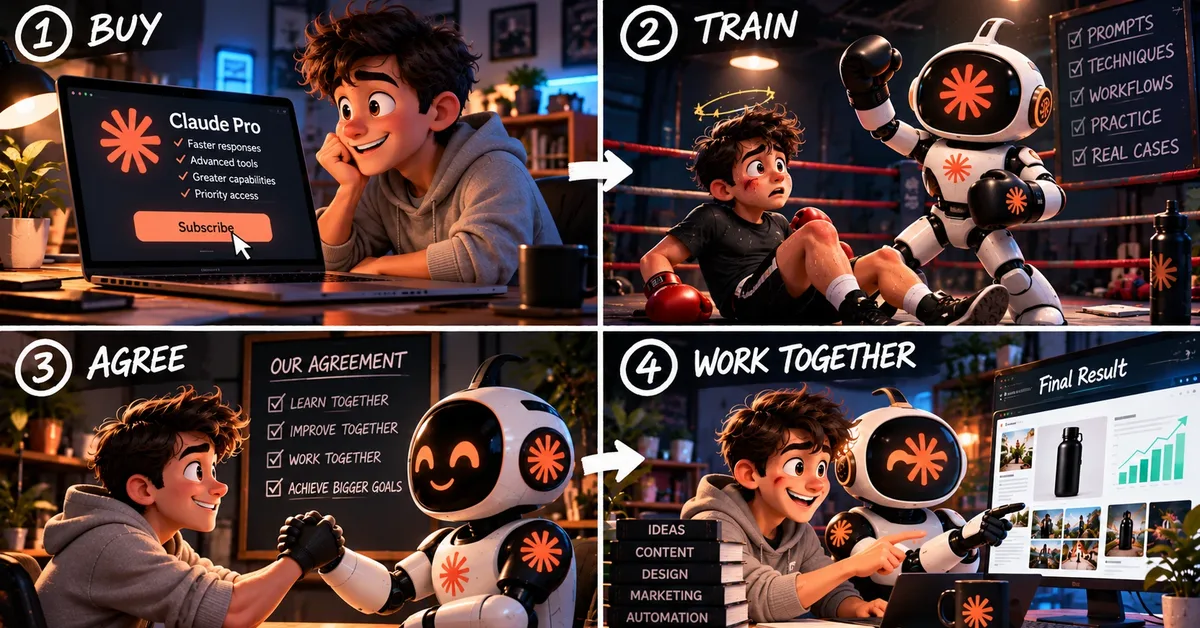
- What changed: I saw people building businesses with AI, got interested and paid for Claude.
- My biggest mistake: talking to the AI in short sentences, over and over.
- The fix: long, specific prompts that I save and reuse.
How I Started
Like almost everyone, I began with ChatGPT. I used it to look up information and for the kind of big, existential question you ask when you have a conversation with an AI for fun. It was a casual use, and it was enough for me at that stage.
Things changed when I started to see people who made businesses with AI. Little by little, I got more interested. For a comparison of the main assistants, see our guide to ChatGPT vs Claude vs Gemini.
Why I Paid for Claude
The first assistant I paid for was Claude. I had heard a lot of good things about it for doing business and for automating tasks, and many people said it was the best option for that. So I decided to get into it.
That decision led me, step by step, to set up the dropshipping store that I have talked about in other articles. If you want to see how I connected everything, read how I built my Shopify store with Claude Code and Visual Studio Code.
Feeling Lost at the Beginning
At the start, I was very lost. I did not know where to begin or how to ask for things. What I do almost always is look for tutorials on YouTube and learn little by little how to manage on my own, and that is what I did here.
The rest was trial and error, like everything. At the beginning, the results were very poor. Later they became just “improvable”, and that is when you realize you are getting better.
My Biggest Mistake: Talking in Short Sentences
The mistake I see most, and the one I made myself, is talking to the AI in one or two short sentences at a time. It feels natural, because it looks like a chat. But it turns into a very long conversation. You write one sentence, get an answer, write another, and you can easily end up with twenty messages before you get what you wanted.
If you pay for the tool, it makes even less sense to waste that time. It is better to give the AI clear instructions from the start.
What I Do Now: Long, Specific Prompts
My main advice is to write bigger, more specific and well-written prompts. Instead of a short sentence, I write one full instruction that explains exactly what I want. Then I correct it two or three times, and that is usually enough.
A good habit is to save those prompts. I keep them in a folder, and when I need one, I copy it, paste it and change the parts that are different. That way I build a small library of my own prompts that I can reuse.
I use the same habit for images. If you want to see how, read how I make product images with ChatGPT and fix the mistakes.
Here is an example of what a long prompt could look like. I wrote it for this article, and you should adapt it to your own task:
You are an assistant that helps me with my online store. I sell [type of products] to [type of customers]. I want you to write a product description of about [number] words. Use a friendly tone, mention these features: [list], and end with a short sentence about the benefit for the customer. Do not invent features that I have not listed.
For more ideas on how to write clear instructions, see our guide to the best ChatGPT prompts.
A Note About Memory
I have also noticed that the AI seems to remember a bit of what I have told it, so it follows my style more with time. This is just what I observe. How memory works depends on the tool and the plan you use, so check the settings of your own assistant before you rely on it.
Advice for Beginners
- Do not be discouraged. It feels like a lot at the start. It gets simple as you practice.
- Learn from tutorials. I look for videos in my own language and follow them step by step.
- Expect bad results at first. That is part of learning. They improve.
- Write long, specific prompts. It saves you many messages.
- Save your best prompts. A folder is enough.
- Correct two or three times. Do not start over each time.
Frequently Asked Questions
Do I need to pay to start with AI?
No. I started with the free ChatGPT. I paid when I began working on projects, and I explain what I use in how I choose which AI to use for each task.
Why are short sentences a mistake?
Because the AI has to guess what you want, and you end up writing many messages. A single detailed instruction usually works better.
How long should a prompt be?
As long as it needs to be to be clear. Include what you want, who it is for, the style and what to avoid.
Where do I save my prompts?
In any folder or document you like. What matters is that you can copy and paste them easily.
How many times should I correct the AI?
For me, two or three. If it is not working after that, I improve the prompt instead of continuing the conversation.
Is it normal to feel lost at the beginning?
Yes. It is normal, and it passes with practice.
My Take
You do not need to be an expert to use AI well. You need patience, a few good tutorials and one simple habit: write clear, specific prompts and save the ones that work. The mistakes at the beginning are part of the process, and they are the fastest way to learn.
Keep Reading
- How I Choose Which AI to Use for Each Task
- How I Built My Shopify Store With Claude Code and Visual Studio Code
- Best ChatGPT Prompts in 2026
- How I Make Product Images With ChatGPT (and Fix the Mistakes)
About This Article
This article is independent. I have no sponsorship from Anthropic, OpenAI or any other company mentioned, and I do not currently earn commissions from the tools covered. It describes my personal experience, which may differ from yours.
Disclaimer: AI products, prices and features change quickly. Always check the official websites before making a decision.