Last updated: October 2026
Good product photos sell. But taking them takes time, equipment and some skill, and not everyone who starts an online store has any of the three. That is why I started using ChatGPT to make my product images, and why I have learned, by trying, what works and what does not.
This is my own method. I use it for product photos, for ads and for the covers of my articles. It is not a technical guide. It is what I do, the mistakes I run into and the small habits that make the results better.
The Short Version
- What I make: product photos, ads and article covers.
- The tool: ChatGPT, with the Plus plan.
- How many tries: usually one, and at most three.
- The main problem: after many images in one conversation, the results start to look the same.
- The best habit: a base prompt that I reuse, changing only the details.
What I Use It For
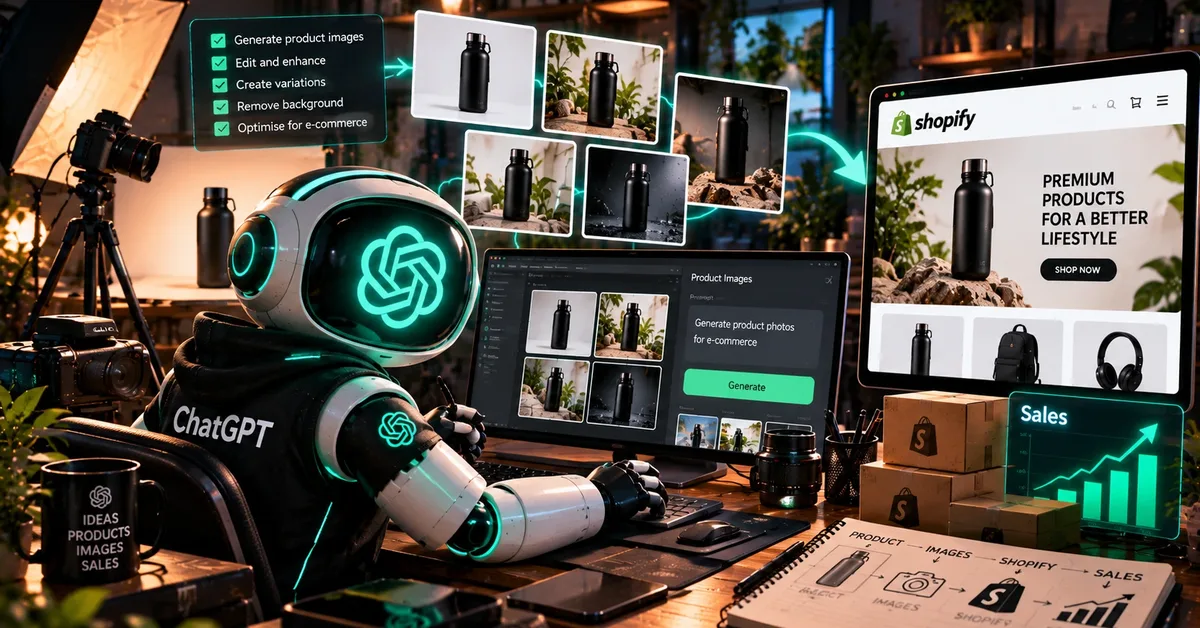
The images I make are mostly product photos. For example, when I work with dropshipping, I can take a supplier’s picture and ask ChatGPT to make it look more professional, more personal and more unique. I also make ads, and the covers for the articles on this website.
One note of my own, so it does not get lost: if you start from a picture that someone else made, check that you have the right to use it, and make sure the final image still shows the real product honestly. An edited picture should not promise something the customer will not receive.
How I Start
I tell ChatGPT what I want, and I ask for a different background. This matters more than it sounds. If you do not ask, it tends to give you the same background again and again, and all your images end up looking almost identical.
So I correct it little by little. I describe the background, the mood and the style I want, look at the result and adjust.
How Many Attempts It Takes
Most of the time I make a single image. If I do not like it, I correct it. In practice, I get what I want on the first try or, at most, on the third.
| Step | What I do |
|---|---|
| 1. Ask | I explain the product and the look I want |
| 2. Review | I check the image against what I asked for |
| 3. Correct | I ask for changes and keep polishing |
| 4. Done | Usually by the first or the third try |
The Problem: Every Image Looks the Same
This is the mistake I notice the most. When you create many images in the same conversation, ChatGPT seems to remember the previous ones. The result is that almost all the new images come out the same.
My fix is simple. I tell it not to carry over what it did earlier in that conversation, so that each new image is different. It is my own trick, not an official setting, and I describe it as I use it. If you prefer, you can also start a new conversation for each batch of images.
How I Fix Mistakes
I do not use any extra tool for this. The whole process is trial and error: I ask for what I want, look at the result and polish it step by step.
Sometimes the picture does not match exactly what I asked for, because ChatGPT is not always precise with images. When that happens, I say what is wrong and ask for a correction. If you want to see how ChatGPT compares with another assistant on the same prompt, read our small test in the guide to the best AI image generators.
What I Check Before Using an Image
Before an image goes into my store, I check that it follows the standards I have set for it. For me, all the images should share the same symbols and the same look, so that the whole store feels like one brand.
A tip from me, beyond my own routine: look at the image carefully before you publish it. AI can add small details that are wrong, and it is easier to fix them before a customer sees them. If you want to clean up a picture afterwards, see our guide to the best AI photo editors.
My Best Advice: Use a Base Prompt
If I had to give one piece of advice to someone starting with AI, it would be this: create a prompt for the things you always do, and reuse it. That way the AI already knows what you want, and you only change a few details each time.
Here is an example of how a base prompt could look. I wrote it for this article, and you should adapt it to your own business:
Create a professional product photo of [product]. Use a clean, bright style with [background]. Keep the product exactly as in the reference image. Use the same style as the previous images but with a different background and no repeated composition.
You keep the structure, and you change only the product and the background. For more ideas on how to write clear instructions, see our guide to the best ChatGPT prompts.
Frequently Asked Questions
Which AI do you use to make images?
ChatGPT, with the Plus plan. I explain in another article how I choose which AI to use for each task.
How many tries does it usually take?
For me, one, and at most three. It depends on how clear your first request is.
Why do all my images look the same?
If you make many in one conversation, ChatGPT tends to repeat itself. Ask it for a different background and not to carry over the earlier images, or start a new conversation.
Do I need another tool to fix mistakes?
I do not use one. I correct the images by asking ChatGPT again and polishing the result.
Can I use a supplier’s image as a starting point?
Check that you have the right to use it, and make sure the final image still shows the real product. If in doubt, ask the supplier.
Is the paid plan worth it for images?
For me, yes. I use it every day, and the free plan runs out quickly with images.
My Take
ChatGPT helps me turn simple pictures into images that feel more professional and more my own, without extra tools or a photographer. It is not perfect, it repeats itself and it sometimes misses details, but with a base prompt, a different background each time and a careful look before publishing, it works well for a small store.
Keep Reading
- How I Use ChatGPT and Claude to Run My Online Store
- How I Choose Which AI to Use for Each Task
- Best AI Image Generators in 2026
- Mistakes I Made When I Started Using AI (and What I Do Now)
About This Article
This article is independent. I have no sponsorship from OpenAI or any other company mentioned, and I do not currently earn commissions from the tools covered. It describes my personal experience, which may differ from yours.
Disclaimer: AI products, prices and features change quickly. Always check the official websites before making a decision. Make sure you have the right to use any image you edit, and that product images are accurate.