Last updated: October 2026
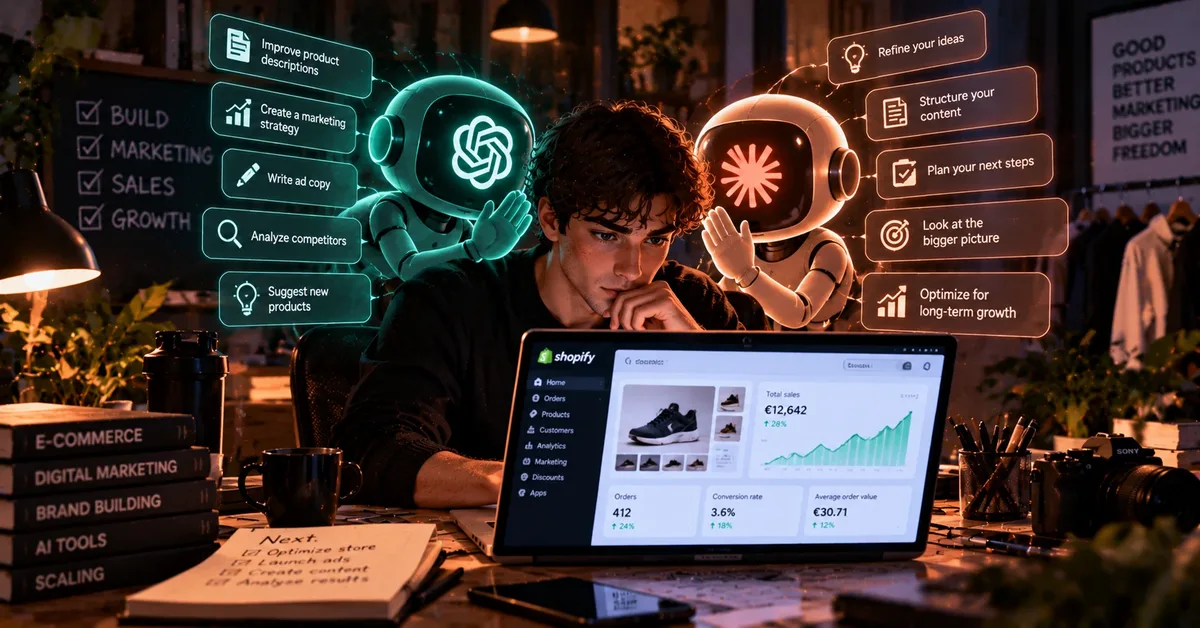
I sell products online through a Shopify store, and AI is now part of my daily work. Two tools do most of the heavy lifting: ChatGPT and Claude. They are not interchangeable for me. Each one has a job, and it took a while to find out which job belongs to which.
This is a plain account of how I use them, what has worked, and what has not. It is not a tutorial with ten steps, and I am not selling a course. If you are thinking about using AI in your own shop or side project, you will probably save yourself some trial and error.
The Short Version
- Claude is my tool for the store itself and for writing. I connect Claude Code to my Shopify store, so it helps me change the page and gives me advice. I also use Claude to draft and edit articles, including the ones on this site.
- ChatGPT is where I make images and test small app ideas that cross my mind.
- The biggest lesson: go slowly. Everyone wants results fast, but learning to work with AI is closer to training than to flipping a switch.
What Each Tool Does for Me
| Task | Tool I use | Why |
|---|---|---|
| Changing my Shopify store | Claude (with Claude Code) | It works with the store and can suggest and apply changes |
| Advice on the store | Claude | I can ask it what to improve and why |
| Writing and editing articles | Claude | I get a draft I can shape into my own words |
| Creating images | ChatGPT | Quick to try ideas and variations |
| Small apps and experiments | ChatGPT | Good for turning a loose idea into something testable |
This is my own setup, not a rule. Plenty of people do the opposite and are happy. If you want a neutral comparison of the big assistants, read our guide to ChatGPT vs Claude vs Gemini.
Claude and My Shopify Store
The most useful thing I have done with AI is connect Claude Code to my Shopify store. Before, changing something on the page meant digging through settings or code I only half understood. Now I can describe what I want, and Claude helps me make the change and tells me what it thinks I should improve.
That second part matters more than I expected. A tool that only follows orders is useful. A tool that also tells you what it would change, and why, is closer to having a second pair of eyes on the shop. I do not always agree with the advice, and I do not accept everything it suggests. But it makes me think about things I would have skipped.
A sensible precaution, whatever tool you use: when AI is allowed to change your store, work on a copy of your theme and check the result before it goes live. A small mistake on a live shop is a lost sale, and AI makes mistakes like anyone else.
If you run a small shop and want to see where else AI can help, our list of the best AI tools for small business covers the other areas, from writing to customer support.
Claude for Writing
I also use Claude to write. That includes the articles on this website. I give it the topic and the facts I want to cover, it produces a draft, and then I read it, correct it and change what does not sound right. Where an article is about something I have done myself, like this one, the experience is mine and the draft is built from what I tell it.
I think it is better to say this openly than to hide it. AI is a writing aid, and what matters is whether the final text is accurate and useful to the reader. If you want to compare dedicated writing tools, see our guide to the best AI writing tools.
ChatGPT for Images and Small Apps
I use ChatGPT mostly for two things. The first is images. When I need a picture for a product, a banner or an idea I want to see, I describe it and test a few versions until one works. It is fast, and it lets me try ideas that I would never pay a designer to mock up.
The second is small apps. I often get ideas for little tools, and ChatGPT helps me turn a loose idea into something I can test. Some go nowhere, and that is fine. The point is to find out quickly whether an idea has legs, without spending weeks on it. If apps and code are your thing, you may also like our guide to the best AI tools for coding.
What Has Not Worked Perfectly
I have no complaints about the two assistants in general. They do what I need. But there is one thing I run into with ChatGPT: precision with images. Sometimes the picture is close to what I asked for but not quite. A detail is wrong, an element is missing, or the result differs from what I described.
My answer is simple. I ask again, adjust the description and check the image before I use it anywhere. For a product picture, accuracy matters, so I never publish an AI image without looking at it carefully first. If a detail has to be exact, I do not trust the first result.
How Much Time Does It Save?
A lot. That is the honest answer. I have not measured it with a stopwatch, so I will not invent a number. What I notice is that tasks which used to be slow, like changing the page, writing a first draft or making a visual, now take far less effort. Work that felt heavy before now feels manageable, and that frees up time to think about the business instead of just keeping it running.
Time saved is not the same as money earned, and I would not promise anyone that AI will make their shop profitable. It makes the work lighter. What you do with that time is up to you.
My Advice If You Are Starting
If I had to give one piece of advice, it would be this: go step by step. When you start, you want to do everything at once and get quick results. But learning to work with AI is closer to training. You get better by practising, by seeing what works for you and by correcting the tool when it misses.
- Start with one task. Pick something small you do every week and try to improve that with AI.
- Be specific. The more detail you give, the better the answer. Vague requests get vague results.
- Check everything. AI can be wrong, especially with details. Review text, prices and images before they go live.
- Keep your own judgment. Use AI to speed things up, not to decide for you.
- Add tools slowly. A few tools you know well beat ten you barely understand. If you are choosing, our list of the best free AI tools is a cheap place to start.
Frequently Asked Questions
Do you pay for ChatGPT and Claude?
Both offer free plans with limits, and paid plans for heavier use. Check the official pricing pages, since plans and limits change often. Start free and upgrade only when the limits get in your way.
Can Claude really change a Shopify store?
In my setup, Claude Code is connected to my store and helps me modify the page. How you connect it depends on your own setup, so follow the official documentation of Shopify and Claude, and always test changes on a copy first.
Is it better to use one AI or several?
It depends on your work. I use two because each one fits different tasks for me. If you are starting, one is enough. You can add a second when you find something the first does not do well. Our guide to the best AI assistants for productivity can help you decide.
Are AI images good enough to use in a shop?
Often, but not always. Accuracy can fail, so check each image carefully. For anything where detail matters, such as how a real product looks, use real photos.
Will AI replace my work?
Not in my experience. It speeds up the parts that used to take me the longest, but the decisions, the products and the customers are still mine.
My Take
AI has changed how I work, mostly by taking the slow, repetitive parts off my plate. Claude helps me with my store and my writing, and ChatGPT helps me with images and small app ideas. Neither is perfect, and both need a human to check the result. But used patiently, they make a one-person business feel a lot less heavy.
My advice is still the same: take it slowly, practise with one task, and let the tools earn their place.
Keep Reading
- ChatGPT vs Claude vs Gemini: Which Is Best in 2026?
- Best AI Tools for Small Business in 2026
- Best AI Tools for Coding in 2026
About This Article
This article is independent. I have no sponsorship from OpenAI, Anthropic or Shopify, and I do not currently earn commissions from the tools mentioned. If that changes, I will say so clearly. It describes my personal experience, which may differ from yours.
Disclaimer: AI products, prices and features change quickly. Always check the official websites before making a decision. This is not financial or business advice.